How to estimate construction costs in Excel
Start here if you need the full workflow from scope and quantity through direct cost, labor, equipment, markup, contingency and review.
Read the estimating workflowConstruction estimating library
BuildCostSheets is a practical library for small contractors, remodelers and junior estimators who still price work in spreadsheets and want something better than rough square-foot guesses or scattered one-off files.
Start by task
Start with the concrete slab calculator when you need material, labor, markup and a usable price-per-square-foot output.
LaborUse the labor burden calculator when base wage is no longer enough and the estimate needs loaded hourly cost.
FleetUse the equipment calculator to check whether annual hours, fuel, maintenance and operator treatment are dragging your rate down.
WorkbookRead the template guide when your issue is not one number, but the whole way the estimate workbook is organized.
WorkflowUse the Excel estimating guide when you want the logic from scope and quantity through review and final bid output.
ExtrasRead the change-order guide when the job is moving and extra scope needs a cleaner cost build-up and paper trail.
Why this matters
| Weak estimate habit | Stronger workflow | Where to start on this site |
|---|---|---|
| Copy a square-foot average from another market. | Build the number from quantity, direct cost and local assumptions first. | Concrete slab calculator |
| Price labor from wage only. | Use loaded labor cost, utilization and markup deliberately. | Labor burden calculator |
| Hide equipment cost in a miscellaneous line. | Recover ownership and operating cost with a visible hourly rate. | Equipment rate calculator |
| Keep rebuilding the same spreadsheet logic. | Use a repeatable workbook structure with separate setup, rate and review tabs. | Template guide |
| Price change orders in emails and side notes. | Document the scope, direct cost, markup and approval path clearly. | Change order guide |
Paid workbook
The starter pack is for teams that already estimate in Excel and want more structure, clearer rate logic and a cleaner review path. It is not trying to replace enterprise software. It is trying to make a spreadsheet workflow more disciplined and more reusable.
See what the buyer actually gets
Workbook preview
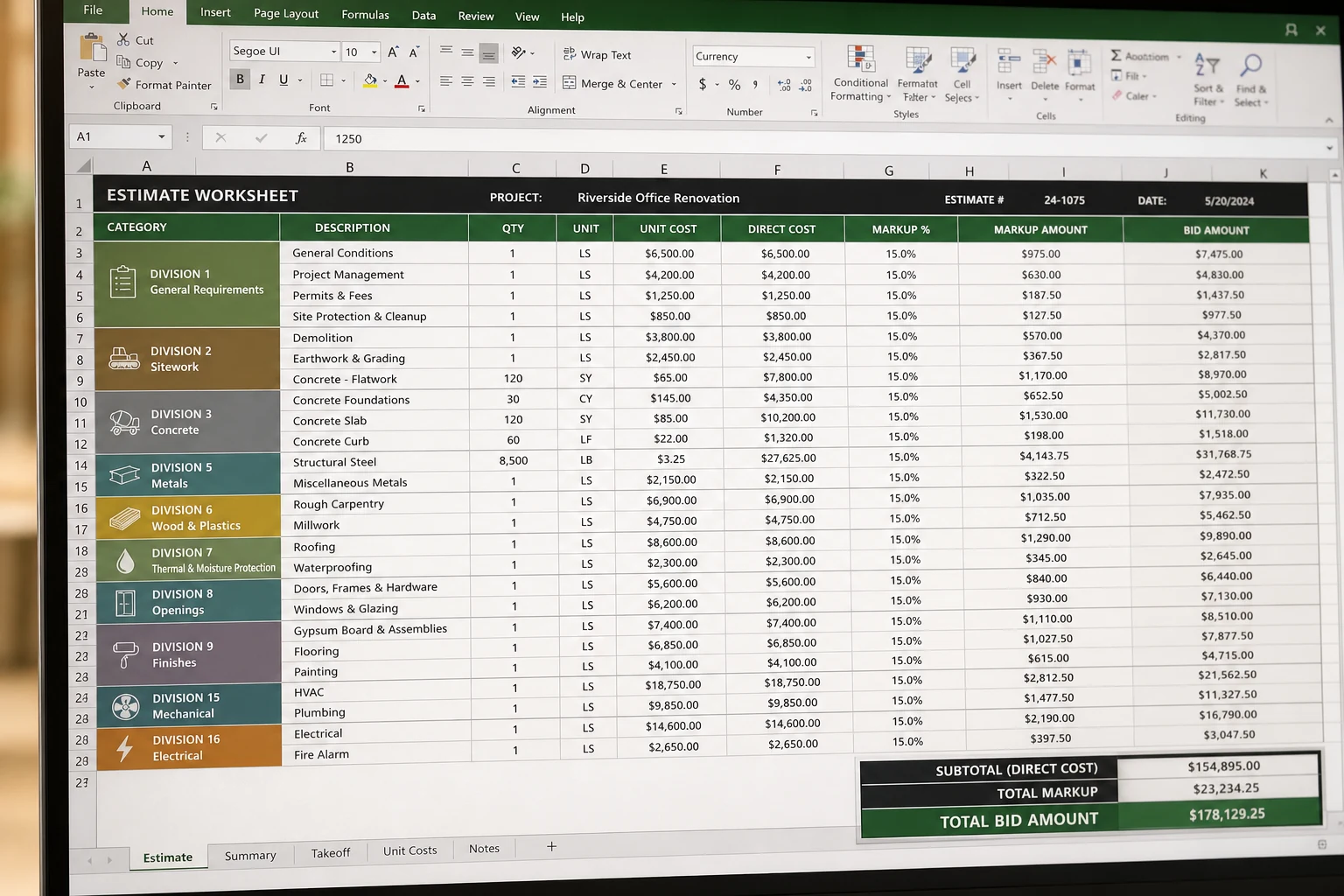
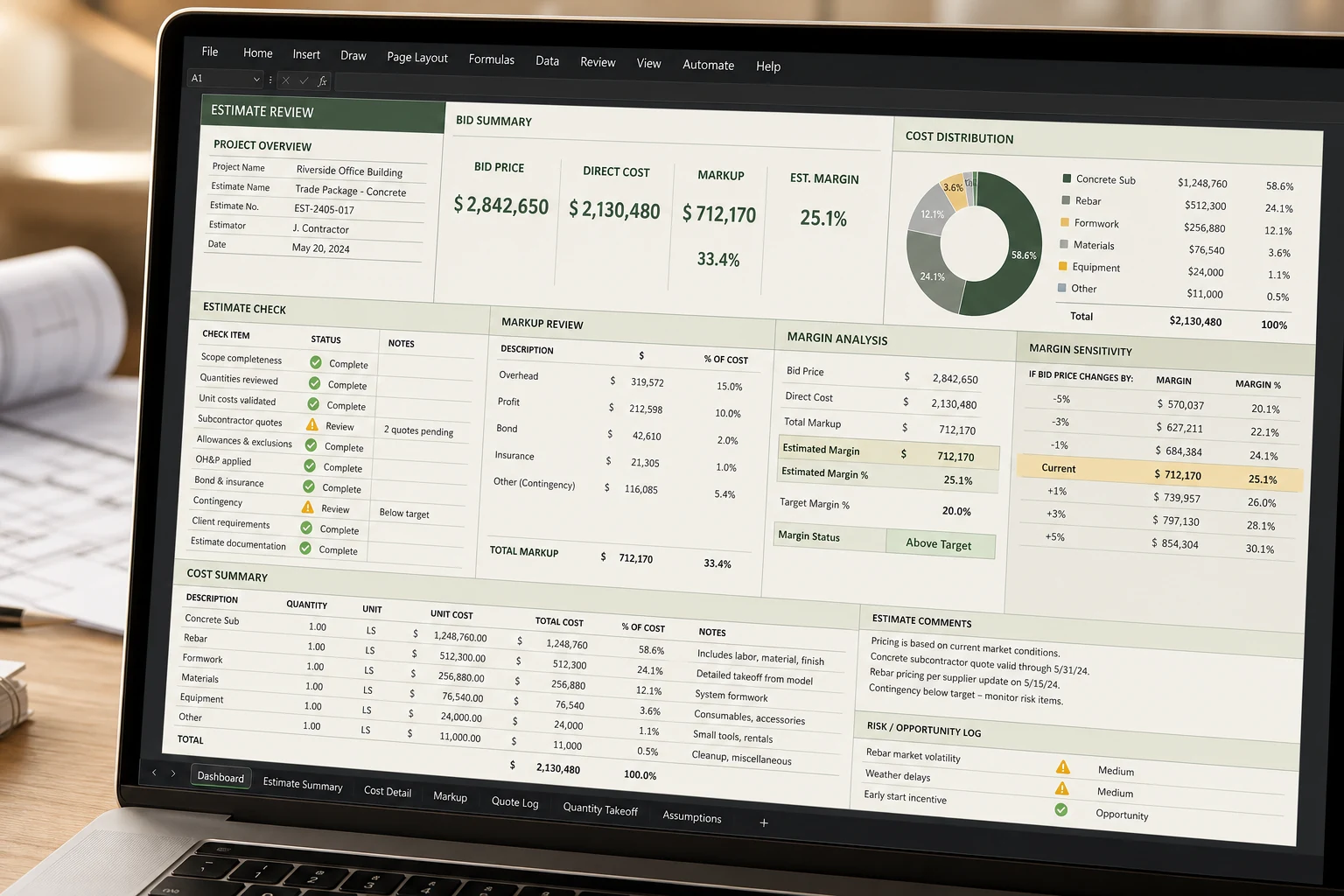
Core pages
Start here if you need the full workflow from scope and quantity through direct cost, labor, equipment, markup, contingency and review.
Read the estimating workflowUse this when the estimate file itself is the problem and you need a better workbook structure, not just a better one-line formula.
Read the template guideUse this when the estimate, budget and actual job-cost report do not speak the same language and review keeps getting muddy.
Read the cost codes guideHow the site is built
Calculators expose inputs and warn when a number still depends on local quotes, tax treatment, utilization or access conditions.
The stronger pages are meant to carry worked examples, comparison tables, FAQs and links to the next step instead of multiplying near-duplicate topics.
The paid workbook pages are being built around screenshots, buyer workflow, use cases and before-versus-after clarity, not only a buy button.
Methodology, about, contact and policy pages are visible because the site should look like a real publishing asset, not a thin doorway page.
Use local judgment
Concrete, trucking, rental, fuel and material quotes move faster than generic online averages. Replace defaults early.
The same wage does not mean the same recovered job cost if insurance, downtime, crew structure or burden treatment differ.
Read the methodology, visit the about page and email hello@buildcostsheets.com if you spot a gap or want to ask about a page.